AISignature
Create a handwritten-style signature from your name with AI, or draw your own
An AI signature generator that turns typed names into handwritten-style signatures, generates variations with AI, or lets you draw your own, then download as
About this launch
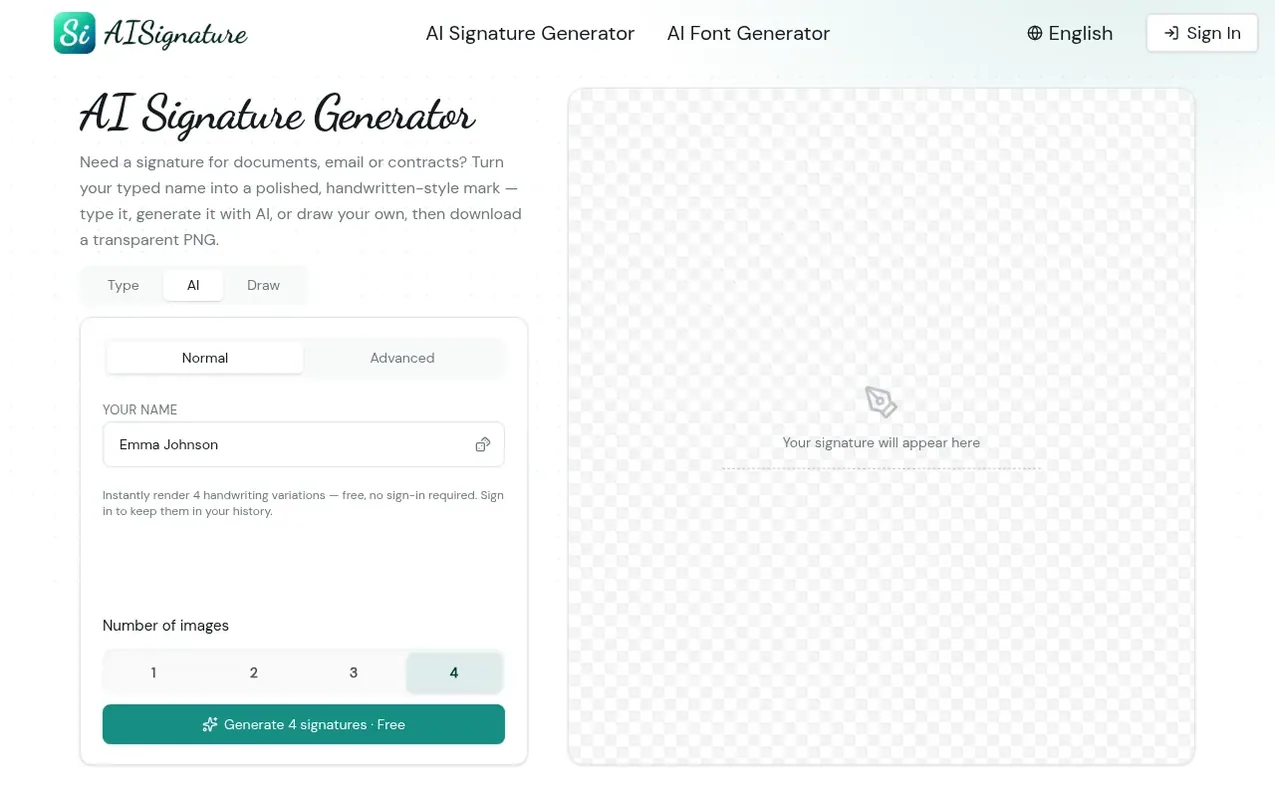
AISignature helps users create digital signatures without design software. Type your name and the AI signature generator instantly renders it as flowing, handwritten-style lettering with multiple style variations to choose from. Alternatively, use the built-in draw pad to sign with a mouse, trackpad, finger or stylus. Every signature downloads as a transparent PNG, so it sits cleanly on PDFs, contracts, certificates, email footers and personal branding materials without a white background. The tool is designed for professionals, freelancers, students, founders and creators who need polished digital signatures for everyday online workflows. AISignature is a creative tool, not a legal identity verification service.
What it does
- Type your name to generate AI-rendered handwritten signatures
- Compare multiple signature style variations side by side
- Draw your own signature with mouse, trackpad, finger or stylus
- Download signatures as transparent PNG for clean placement on any document
- Reuse the same signature across contracts, email and personal branding
- No sign-up required to generate and download free signatures
- Commercial use rights for all downloaded signatures
Pricing
Pricing model: Freemium
Free: 10 signatures per day, 1K standard resolution, transparent PNG & SVG export. Pro: $6.99/month (billed monthly) or $4.08/month (billed $48.99/year, save 42%), 300 signatures per month, all tools and styles. Pro Pack: $9.99 one-time purchase, 300 signatures, credits never expire.
Shopper questions
How does an AI signature generator work?
The AI signature generator turns your typed name into multiple handwritten-style signature variations by applying AI styling to your input. You can compare different cursive, business and artistic looks, regenerate variations until one feels right, and export it as a clean image.
Is this signature generator free?
Yes, the free tier lets you generate and download 10 signatures per day at 1K standard resolution with transparent PNG export, no sign-up required. Paid plans offer more signatures per month and higher resolution options.
How do I create a signature for documents?
Type your name into the AI signature generator and it instantly renders handwritten-style variations. Choose the one that looks most like your real signature, then download it as a transparent PNG to place on PDFs, contracts, certificates and email footers.
Can a signature be just my initials?
Yes, you can enter just your initials into the AI signature generator instead of your full name, and it will render them as a handwritten-style signature.
What makes AISignature different from scanning a paper signature?
AISignature skips the printer, scanner and shaky trackpad by turning a typed name into a consistent, professional signature in seconds that you can reuse across all your documents. Alternatively, you can draw your own signature in the browser and export it cleanly without needing to scan paper.
AISignature has a free listing. The owner can unlock the full profile with a paid launch for $5:
- Founder story (locked)
- Milestones (locked)
- Demo video (locked)
- Dofollow website link (locked)
Shoppers also viewed
- MyPaperKit
Design tools
- AI Kitchen Design
Design tools
- ideare
Design tools
- Matita
Design tools



