AI Culler
Offline AI photo culling software for Windows that runs entirely on your machine
Windows software that groups burst photos, scores sharpness, exposure, eye quality and smiles, then moves rejects without deleting anything.
About this launch
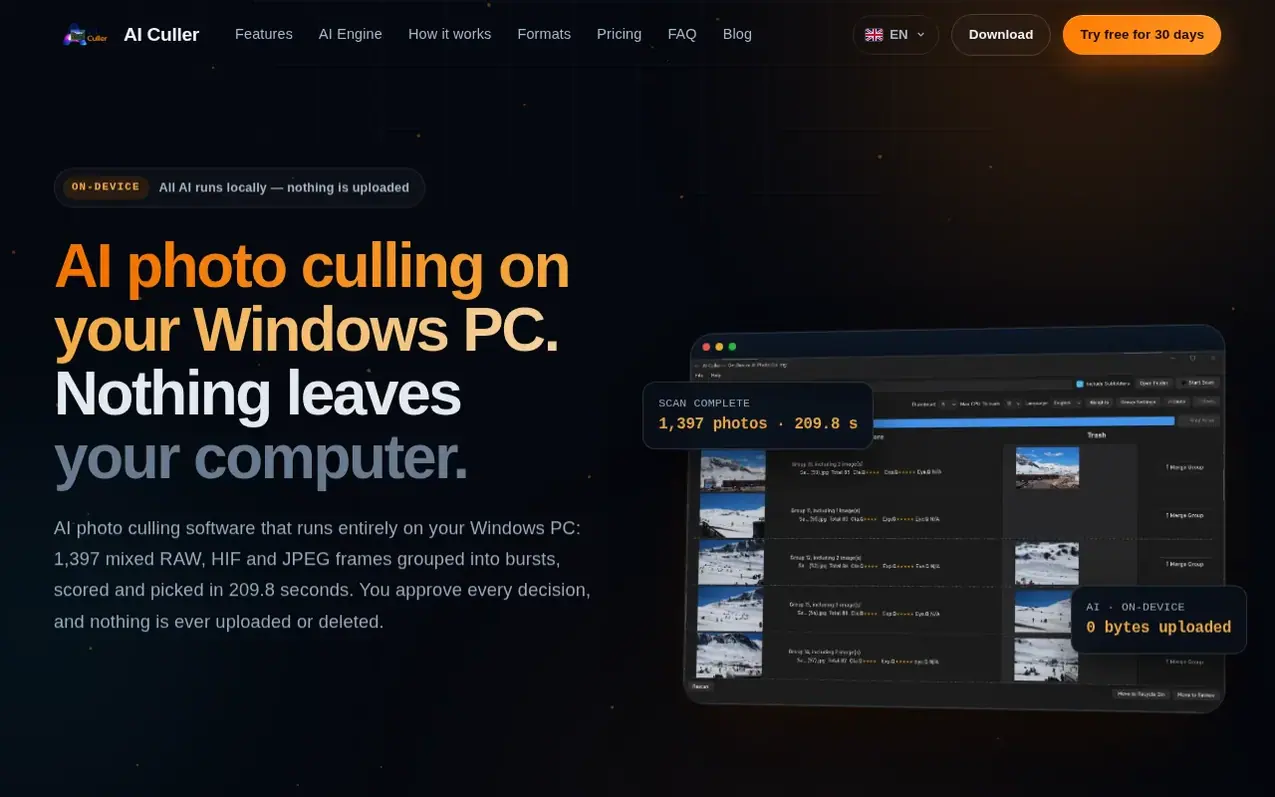
AI Culler is photo culling software for Windows that processes photos entirely on your machine. It groups burst frames automatically, then scores each photo on five separate dimensions: sharpness (measuring the subject rather than backgrounds), exposure quality (understanding silhouettes and backlighting), eye quality (detecting blinks in group shots), similarity (grouping same-instant frames), and smiles (using as a tiebreaker). Every AI feature can be switched off independently, reverting to classical algorithms. The software never uploads photos or deletes files; rejects are moved to the Recycle Bin or a folder you choose, with at least one frame kept per group. All formats are supported including RAW files from major camera makers (Canon CR3, Nikon NEF, Sony ARW), JPEG, HEIC and HIF, with RAW and JPEG pairs bound as a single photo.
What it does
- Offline AI processing with no photo uploads
- Automatic burst grouping by time, sequence and visual similarity
- Support for RAW formats from Canon, Nikon, Sony, Fujifilm and others
Pricing
Pricing model: Paid
Standard licence US$29 (one computer, personal use only); Commercial licence US$149 (three computers, commercial use permitted). Both are one-time purchases with 30-day free trial and 14-day money-back guarantee.
Shopper questions
Does it really never upload my photos?
Yes, the app keeps all photos on your machine. Apart from licence activation, validation and periodic checks (which send only a device-fingerprint hash and timestamp), the app opens no network connections. Images, filenames and file contents stay local, and all features work in airplane mode or on an isolated LAN.
How much does it cost and is there a subscription?
AI Culler is US$29 for a Standard licence (one computer, personal use) or US$149 for a Commercial licence (three computers, commercial use permitted). Both are one-time payments with no monthly fee, per-frame billing or renewal dates.
Does it delete my photos?
No. Every file operation requires confirmation, and each group always keeps at least one frame. There is no automatic deletion anywhere in the application. Rejects are moved to the Recycle Bin or a folder you choose.
What file formats does it support?
AI Culler reads Canon CR3, Nikon NEF, Sony ARW, DNG, JPEG, HEIC and HIF. RAW and JPEG or HEIF pairs of the same frame are treated as one photo and scored together.
Is there a free trial or refund option?
Yes. AI Culler includes a 30-day free trial with all features unlocked and no card required. There is also a 14-day money-back guarantee if the software does not fit your workflow.
AI Culler has a free listing. The owner can unlock the full profile with a paid launch for $5:
- Founder story (locked)
- Milestones (locked)
- Demo video (locked)
- Dofollow website link: not on this free listing (its website link is nofollow)