WriteNative
Correct, natural English in every Mac app you write in
A macOS writing assistant that fixes grammar, tone and spelling as you type in any app, with fixes explained in your language.
About this launch
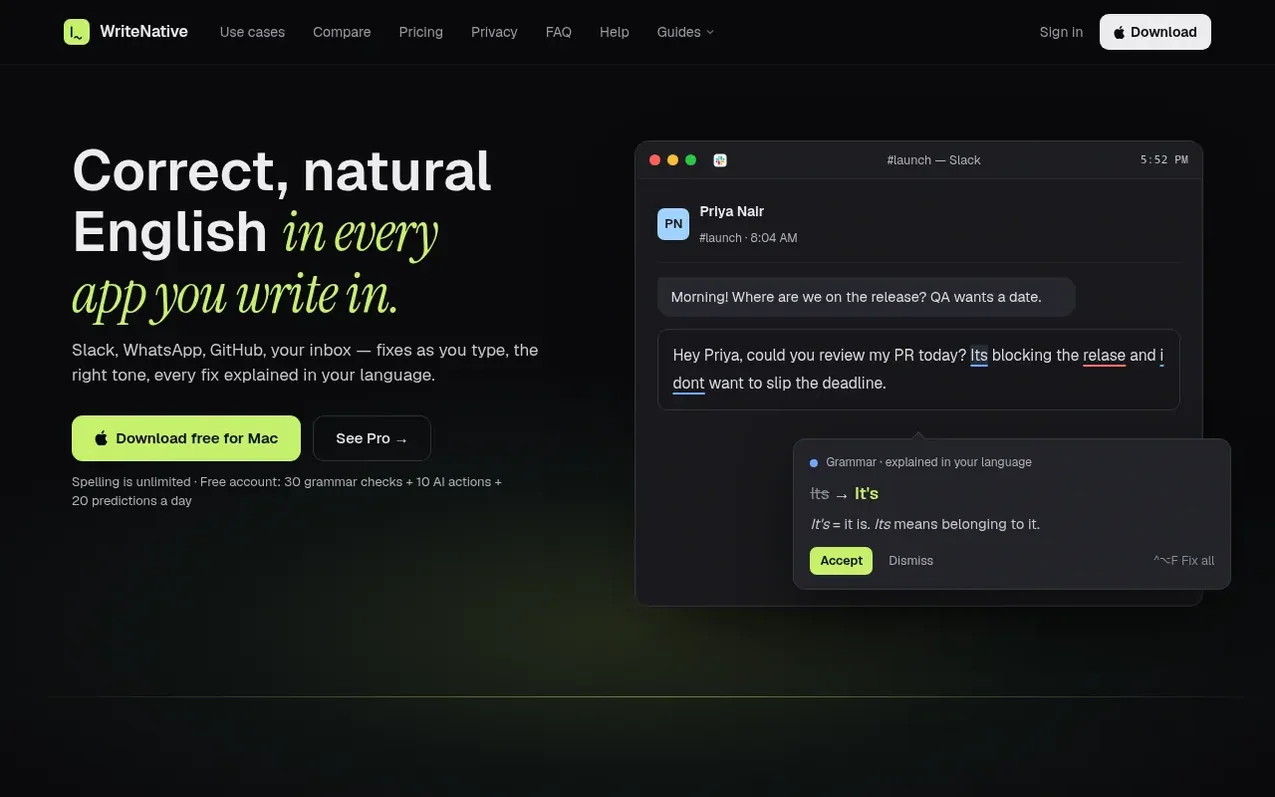
WriteNative is a macOS app that corrects spelling, grammar, tone and clarity as you type in any application—Mail, Slack, Teams, GitHub, ChatGPT and others. Every fix is explained in your language, making it especially useful for non-native English speakers. You can rewrite sentences, translate text, explain incoming messages and draft new ones. The free plan includes unlimited spelling fixes plus 30 grammar checks, 10 AI actions and 20 predictions per day. Pro offers everything unlimited.
What it does
- Real-time spelling and grammar correction in any macOS app
- Fixes explained in your language (11 languages supported)
- Tone checking and adjustment for different contexts
- Rewrite and rephrase suggestions
- Explain incoming messages and generate replies
- Write in your language and get English translations
- Word predictions and auto-complete
- Personal dictionary and learning words
- Works in Mail, Slack, Teams, GitHub, Notion and 10+ other apps
- Team plan with shared brand rules and dictionaries
Pricing
Pricing model: Freemium
Free: unlimited spelling, 30 grammar checks, 10 AI actions and 20 predictions per day. Pro: $144/year or $20/month, everything unlimited. Team: $15/seat/month or $180/year per seat.
Shopper questions
How is WriteNative different from Grammarly?
WriteNative offers same as-you-type checks in every app but is specifically designed for people whose first language isn't English. It provides fixes explained in your language, allows you to have messages explained and answered in one flow, and lets you start in your language when stuck.
Is the free plan enough?
For occasional English writing, yes. Spelling is unlimited and requires no account. Free accounts get 30 grammar checks per day (1 per paragraph), 10 AI actions (rewrite, tone, translate, Explain, reply, Draft: 1 each) and 20 predictions. Look up is never counted. Counts reset at midnight UTC.
Is WriteNative safe for work email and code?
Yes. Cloud checks are discarded immediately and never stored or used for training.
Which apps does WriteNative work in?
WriteNative works in most Mac apps with a text field including Mail, Gmail, Outlook, Slack, Teams, Notion, GitHub, Cursor, VS Code, ChatGPT and more. Terminals and Google Docs are left alone. It requires macOS 14 or later.
Is there a free trial and can I get a refund?
The free account serves as the trial with no card required, spelling unlimited, and 30 grammar checks plus 10 AI actions and 20 predictions per day. Purchases on the website can be refunded within 14 days with no questions asked. App Store purchases follow Apple's refund terms.
WriteNative has a free listing. The owner can unlock the full profile with a paid launch for $5:
- Founder story (locked)
- Milestones (locked)
- Demo video (locked)
- Dofollow website link (locked)