talat
Local, private AI transcription for meetings, dictation, and recordings that runs entirely on your computer
An on-device AI meeting transcriber that records, transcribes, and summarizes conversations entirely locally, with no cloud processing or account required.
About this launch
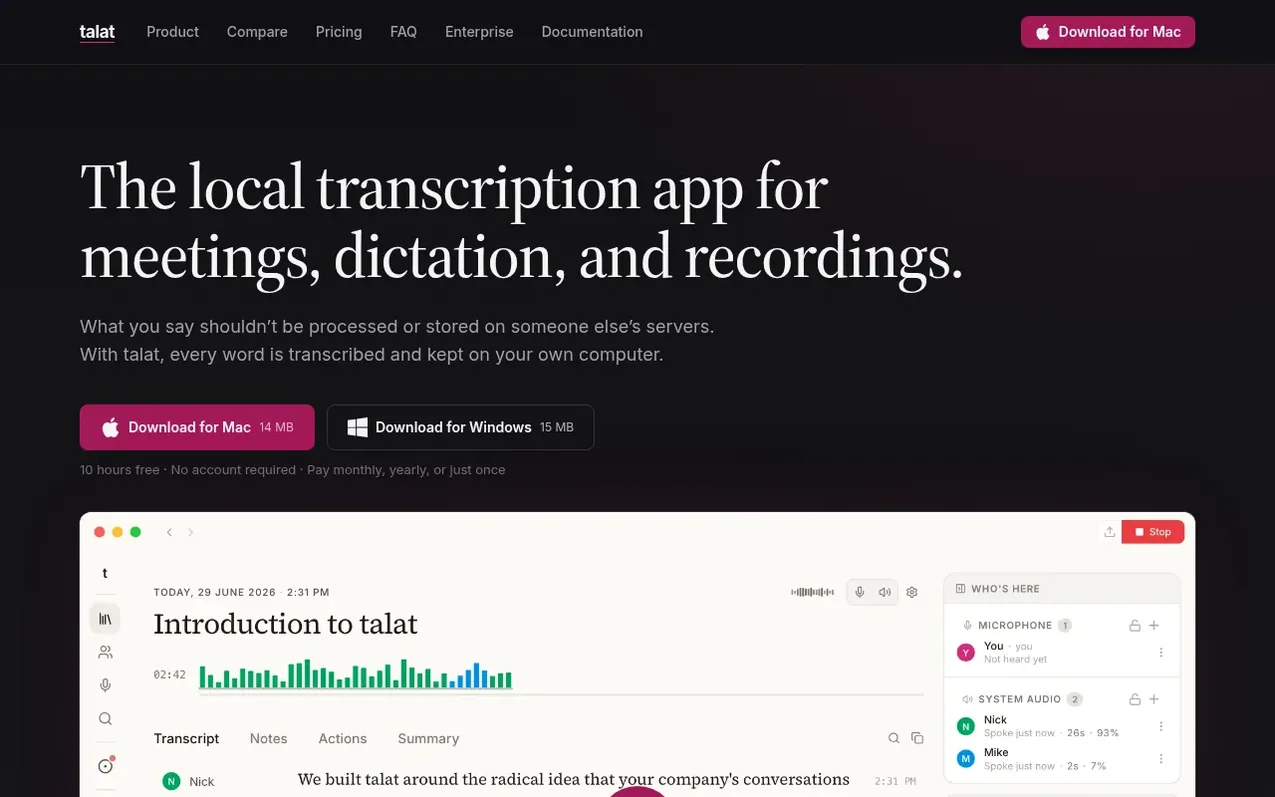
talat is a local transcription application for macOS and Windows that uses on-device AI to record meetings, transcribe conversations in real time, identify speakers, and generate summaries—all without uploading any audio or data to the cloud. The app captures both microphone and system audio, processes everything using on-device models, and stores all recordings, transcripts, and notes in a local database that never leaves your computer. It works fully offline, offers optional cloud LLM integration using your own API keys, and can import existing audio and video files for transcription. Beyond meeting recording, talat functions as a system-wide dictation tool and integrates with calendars like Apple Calendar and Google Calendar for automatic recording.
What it does
- On-device audio recording and transcription
- Real-time speaker identification with cross-meeting recognition
- AI-generated summaries, action points, and chapter markers
- Import and transcribe audio and video files locally
- System-wide dictation tool with optional LLM cleanup
- Calendar integration with Apple Calendar and Google Calendar
- Full-text search across all meetings
- Export to Markdown, PDF, and via webhooks or MCP
- Works fully offline with no internet connection required
Pricing
Pricing model: Freemium
$9 USD/month, $89 USD/year (17% discount), or $189 USD one-time lifetime license. All plans include 10-hour free trial with no account or credit card required.
Shopper questions
Is talat really private?
Yes. Audio capture, transcription, speaker identification, and summarization all happen on your computer using on-device models. talat has no server that receives or stores your meeting content, so the company cannot see your recordings, transcripts, or notes.
Does it work offline?
Yes. Transcription and summarization both run on your computer by default, giving you fully offline transcription with no internet connection required (except for a periodic license check). Using a cloud LLM for summaries is optional.
Can I transcribe recordings I already have?
Yes. Drop an existing audio or video file onto the window or use the Import button, and talat transcribes it locally using the same on-device models, speaker labeling, and summaries as live meetings. Common audio and video formats are supported.
What happens if I cancel my subscription?
Your notes and recordings remain on your computer. You can still read, search, export, and summarize every meeting already recorded. You just cannot record new meetings until you resubscribe or purchase a lifetime license.
Where is my data stored?
Locally, on your computer, alongside any audio recordings you've chosen to keep. None of it ever syncs or uploads anywhere.
talat has a free listing. The owner can unlock the full profile with a paid launch for $5:
- Founder story (locked)
- Milestones (locked)
- Demo video (locked)
- Dofollow website link (locked)
Shoppers also viewed
- Swimcast
Audio, Voice & Podcasting
- FastTranscriber
Audio, Voice & Podcasting
- Audio Convert
Audio, Voice & Podcasting
- Wave
Audio, Voice & Podcasting