SpeechReader
Convert text to lifelike AI voices instantly
SpeechReader is an AI text-to-speech tool that converts written text and documents into natural-sounding audio using over 2000 voices across 60+ languages.
About this launch
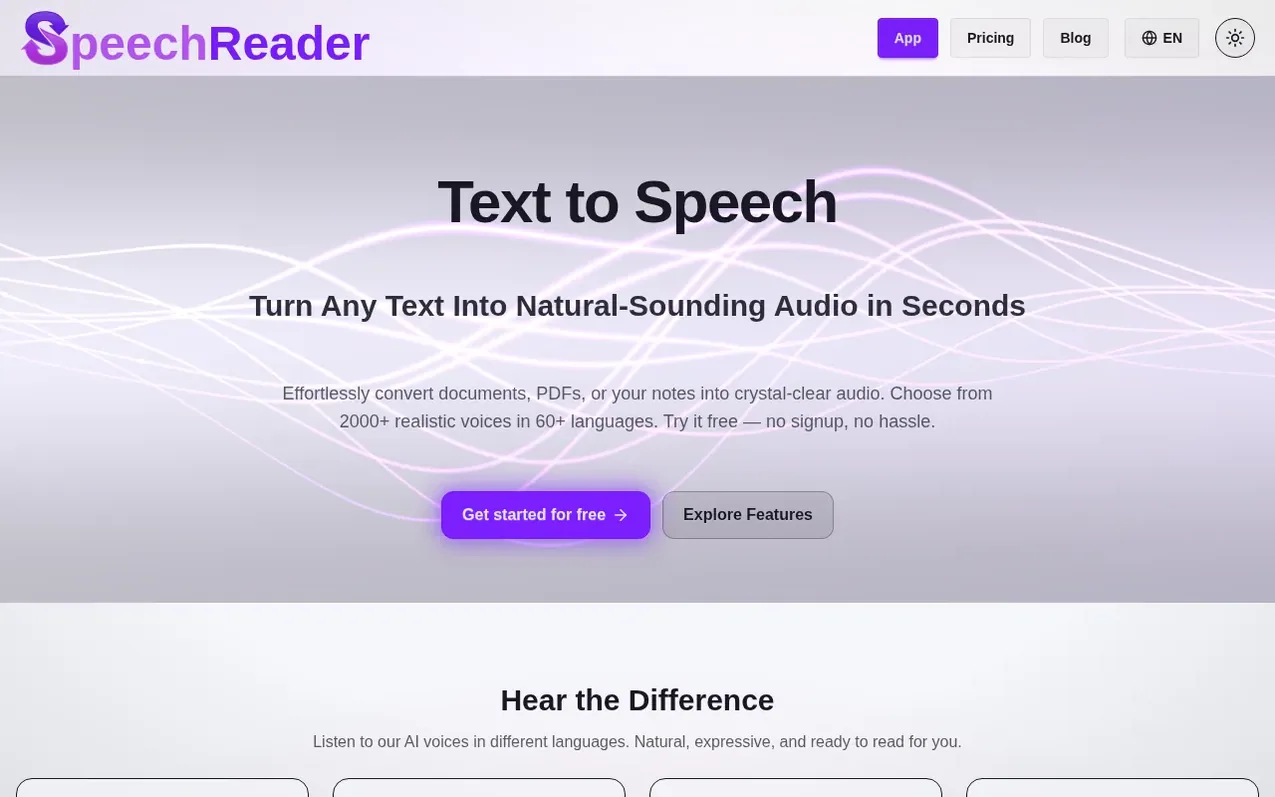
SpeechReader is a text-to-speech platform powered by advanced speech synthesis and AI algorithms. Users can paste text or upload files like PDFs and images, and the tool converts them into natural-sounding audio with over 2000 AI voices across 60+ languages. The platform supports voice styles ranging from natural everyday voices to ultra-realistic Premium and Studio voices.
The tool is designed for multiple use cases including accessibility for people with visual impairments, content creation for videos and podcasts, e-learning narration, and professional voiceovers. Audio files can be downloaded for offline use or listened to online. The system captures tone, rhythm, and clarity similar to human speech with contextually aware voices that avoid sounding flat or robotic.
SpeechReader offers a free plan with 5,000 credits per day, a Basic paid plan, and a Premium plan with higher credit limits and additional features like Studio voices exclusive to Premium subscribers.
What it does
- 2000+ AI voices across 60+ languages
- Upload PDFs and images to convert to speech
- Download audio files as MP3
- Free plan requires no signup
- Multiple voice styles including normal, Premium, and Studio voices
- Contextually aware voices that sound natural
- Email and priority support options
Pricing
Pricing model: Freemium
Free Demo: $0/month with 5,000 credits/day (around 5 minutes of audio). Basic: $6.00/month (billed $71.99 annually) with 100,000 credits/day (around 2 hours of audio). Premium: $15.00/month (billed $179.99 annually) with 500,000 credits/day (around 9 hours of audio).
Shopper questions
What is SpeechReader and how does it work?
SpeechReader is a text-to-speech tool powered by advanced speech synthesis that uses AI algorithms to create natural-sounding voices. Users paste text or upload files, and the AI voices instantly generate speech that captures tone, rhythm, and clarity similar to human speech. The tool can be used for accessibility, creating audio for videos and podcasts, or generating AI voiceovers.
Can I download the audio as a file?
Yes, you can convert text to speech and download the audio file directly for offline use. This is ideal for creating spoken audio for e-learning, marketing videos, podcasts, or tutorials.
What languages and voices are available?
SpeechReader supports over 2,000 AI voices across 60+ languages, ranging from natural everyday voices to ultra-realistic Premium and Studio voices. Users can choose voices in languages including Hindi, English, Spanish, and many others.
Is SpeechReader good for accessibility?
Yes, text-to-speech can be life-changing for users with visual impairments. SpeechReader can read aloud text clearly, making it easier to consume text files and other content, offering an inclusive solution.
Why Should You Use SpeechReader for Text to Speech?
If you've ever tried free text to speech software that sounded robotic, you'll appreciate SpeechReader's human-like voices . We designed our AI text to speech generator for people who need high-quality voices without paying a fortune. Our free plan gives you voices for free in multiple languages, including Hindi , English, Spanish, and more. The benefits: Natural-sounding speech for presentations, videos, or study. AI voices for free that match a preferred voice style . Completely free to start – no signup needed.
SpeechReader has a free listing. The owner can unlock the full profile with a paid launch for $5:
- Founder story (locked)
- Milestones (locked)
- Demo video (locked)
- Dofollow website link (locked)
Shoppers also viewed
- Litero AI
AI writing
- AI Story Generator
AI writing
- ReadyMadeSpeech
AI writing
- Signal Extractor
AI writing