Shotlingo
Browser editor for localizing App Store and Google Play screenshots in 40+ languages without redesigning
Design one set of App Store screenshots, re-render in every language, and export at exact pixel sizes each store requires.
About this launch
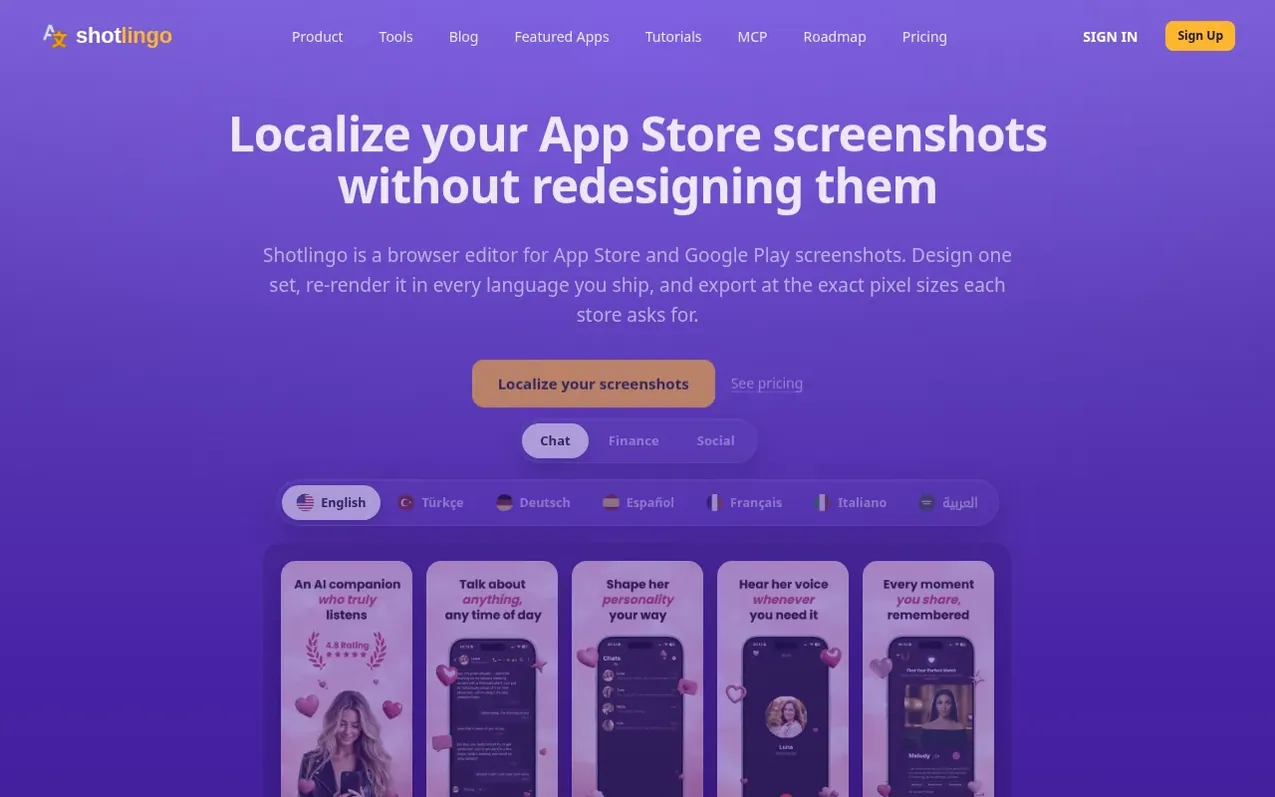
Shotlingo is an AI-native browser editor that lets developers and ASO teams create localized App Store and Google Play screenshots without redesigning for each language. Write text once in English, then automatically translate and re-render the layout across 40+ languages including right-to-left scripts. The tool exports at exact pixel sizes for iPhone, iPad, Mac, Android phones, tablets and Chromebooks. It includes device mockups, translation memory, glossaries for brand terms, and formality matching for different grammatical registers. All 693 device mockups are available on the free plan. Paid plans start at $9/month for unlimited exports and App Store Connect integration.
What it does
- Automatic text translation to 40+ languages with AI
- 693 device mockup variants across iPhone, iPad, Mac, Android
- Text expansion calculator to preview how text sizes change per language
- Translation memory that syncs across devices
- Glossary for brand names and do-not-translate terms
- Formality settings matching grammar rules per language
- Export at exact App Store and Google Play pixel dimensions
- Export in PNG, JPEG or WebP formats as single ZIP by language
- Direct upload to App Store Connect on Plus and Studio plans
- MCP server for AI coding agents to create and render projects
Pricing
Pricing model: Freemium
Free: 100 translations/day, 3 projects, 10 pages each, 1 full export per day. Pro: $9/month with unlimited translations and exports. Plus: $19/month adds App Store Connect upload. Studio: $39/month for agencies with unlimited projects. Yearly billing saves 17%.
Shopper questions
Do I need an account to try Shotlingo?
No. The full editor opens in your browser with no signup and no card. Signed out you get 3 AI translations a day; a free account raises that to 100 a day. All 693 device mockups are available without an account.
How many languages does Shotlingo support?
The editor ships English plus 41 target languages, including four right-to-left scripts (Arabic, Hebrew, Farsi and Urdu), Japanese, Korean and Chinese in both simplified and traditional. Every language has a written playbook with measured text-expansion figures and font-fallback notes.
Who owns the screenshots I export?
You do. The terms state that you retain ownership of everything you create with the service. Exported files carry no watermark and no Shotlingo credit line. Nothing in the terms restricts using them in your App Store or Google Play listings.
Will my exports pass App Store and Google Play size requirements?
Shotlingo exports at 24 built-in store presets, not at whatever size the canvas happens to be. The presets cover iPhone, iPad, Mac, Android phone, tablet and Chromebook at the exact dimensions required. The 6.9 inch iPhone exports at 1320 x 2868 and the 6.5 inch at 1284 x 2778.
Do I get a refund if Shotlingo doesn't work for me?
Yes. There is a 30-day money-back guarantee on any paid plan. Email hello@shotlingo.com from your account address to request a refund with no form or retention call.
Shotlingo has a free listing. The owner can unlock the full profile with a paid launch for $5:
- Founder story (locked)
- Milestones (locked)
- Demo video (locked)
- Dofollow website link (locked)