ProofFlick
Proofreading and dictation for Windows using your own AI provider
About this launch
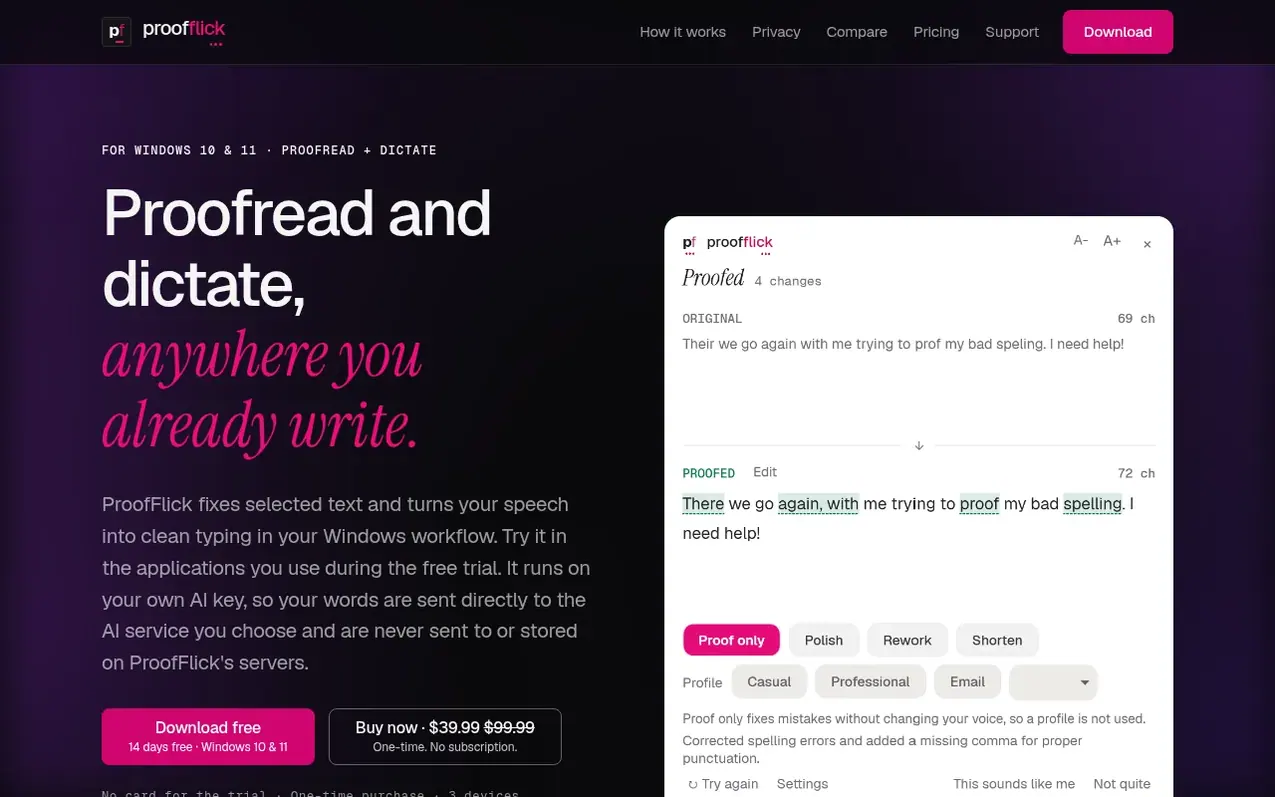
ProofFlick is a Windows 10 and 11 desktop utility that combines proofreading and dictation in one application. It fixes selected text while showing you every change and explaining why, and converts speech into clean typed text that goes directly into whatever you are working in: emails, Slack, Word, or other applications.
The app uses your own API key from providers like OpenAI, Claude, Grok, OpenRouter, or Groq, meaning your writing is never sent to ProofFlick's servers. Your text goes directly to your chosen AI provider over an encrypted connection. History, API keys, and all settings stay encrypted on your device.
ProofFlick learns your writing style through profiles you set up for different contexts like professional email or casual chat. It runs in your system tray and activates through keyboard shortcuts. A 14-day free trial is available with no credit card required.
What it does
- Proofreading with change explanation and selection review
- Dictation with direct text insertion into any application
- Writing profiles that learn your style for different contexts
- Local encrypted history of all corrections and dictations
- Support for multiple AI providers including OpenAI, Claude, Grok, OpenRouter, and Groq
- Works on up to 3 devices with licence deactivation
- 14-day free trial with no credit card required
- Compatible with Word, Slack, email, browsers, IDEs, and terminals
Pricing
$39.99 one-time at launch (regular price $99.99). 14-day free trial. Plus separate charges from your chosen AI provider.
Shopper questions
What does 'bring your own key' mean?
You create an account with a provider you trust, then paste one API key into ProofFlick during setup. Your text goes directly from your PC to that provider, and they bill you for paid usage at their own rates. Groq's free tier requires no credit card but has usage limits.
Where does my writing actually go?
Your writing goes from your PC over an encrypted connection to an AI service you set up, under your own account and their terms. It never touches ProofFlick servers. Your history stays on your device, encrypted, and the app sends no telemetry.
How many computers can I use it on?
A licence activates on up to 3 devices. You can deactivate one to free the slot if you replace a machine.
What happens when the trial ends?
After 14 days you must buy a licence to keep using it: $99.99 one-time, or $39.99 while the launch offer lasts. There is no auto-renewal and nothing to cancel.
ProofFlick has a free listing. The owner can unlock the full profile with a paid launch for $5:
- Founder story (locked)
- Milestones (locked)
- Demo video (locked)
- Dofollow website link (locked)