OldRoll
OldRoll is a browser-based photo editor that applies retro camera effects like Digicam, Film, Y2K, 90s, VHS, and Dreamy looks to transform everyday photos with
OldRoll is a browser-based photo editor that applies retro camera effects like Digicam, Film, Y2K, 90s, VHS, and Dreamy looks to transform everyday photos with
About this launch
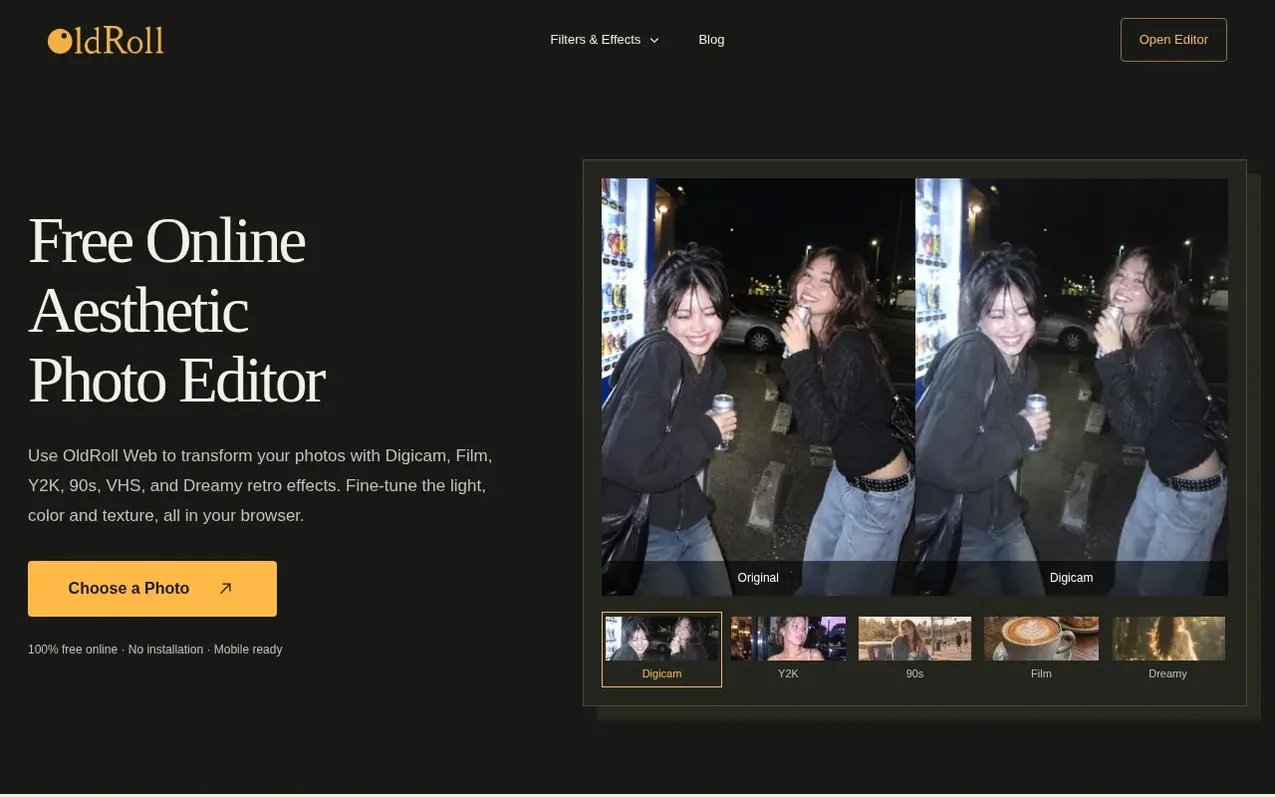
OldRoll is a free online photo editor that gives everyday photos a nostalgic camera feel. Users can choose from recognizable retro camera looks including Digicam, Film, Y2K, 90s, VHS, Dreamy, Polaroid, Black & White, Vintage, and Grain effects. After selecting a filter, photographers can fine-tune exposure, contrast, warmth, saturation, and lens blur to customize the edit. The editor also offers frames, stickers, effects, and collage layouts to combine multiple photos. OldRoll works in any browser on desktop or mobile with no installation required, and all current features are free to use without requiring an account or watermark.
What it does
- Digicam, Film, Y2K, 90s, VHS, and Dreamy retro camera effects
- Light, color, and texture adjustments with exposure, contrast, warmth, and saturation controls
- Crop and compare with original photo
- Add frames, effects, grain, light leaks and stickers
- Create photo collages with grid or strip layouts
- Date stamp customization
- No installation required, works in browser on desktop and mobile
- Import photos from phone gallery or upload from computer
Pricing
Pricing model: Free
Shopper questions
What is OldRoll?
OldRoll is a browser-based aesthetic photo editor for creating Digicam, Film, Disposable Camera, 90s, VHS, Dreamy and other retro looks.
Is OldRoll free?
The OldRoll online version is 100% free with all current features available. No paid subscription is needed for this online launch offer.
Can I edit photos already in my phone gallery?
Yes. You can select Choose a Photo and upload an existing picture from your phone gallery. The mobile app also supports importing photos for editing.
What is the difference between Camera and Filter resources?
Camera resources recreate a fuller camera character, while Filters are focused looks that can be applied and adjusted inside the editor.
How can I give my photos a warm 90s look?
Start with a daylight portrait, picnic, or travel snapshot. Choose a 90s look for warm yellow tones, faded shadows and an aged-print finish, keeping the effect subtle to preserve skin tones.
OldRoll has a free listing. The owner can unlock the full profile with a paid launch for $5:
- Founder story (locked)
- Milestones (locked)
- Demo video (locked)
- Dofollow website link (locked)
Shoppers also viewed
- HennaTrace
Photography & video
- Photomyne
Photography & video
- PolaFilm
Photography & video
- Evoto
Photography & video