MODO
Desktop visual editor for responsive websites and native app interfaces
MODO is a desktop application for designing responsive websites and native iOS and Android interfaces. Create layouts and components locally, then export to
About this launch
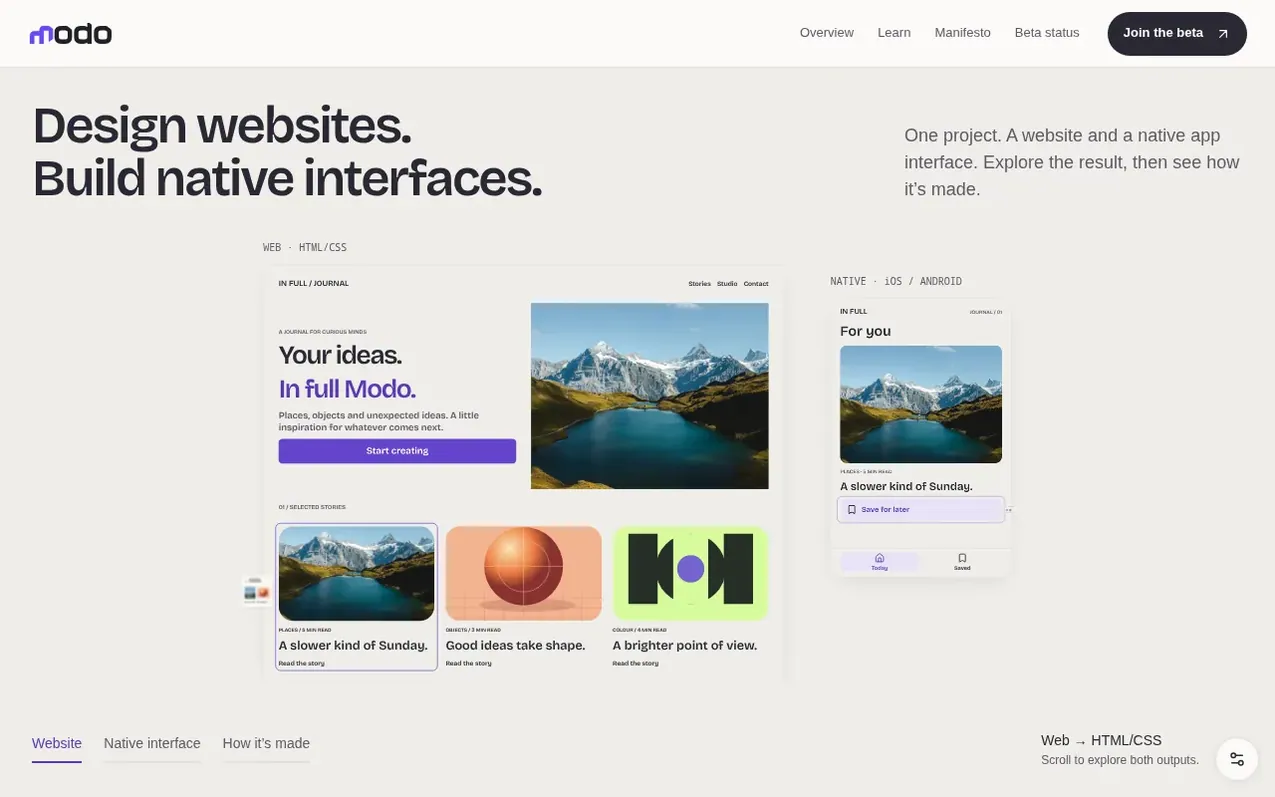
MODO is a desktop visual editor for creating responsive websites and native mobile app interfaces. You work locally on your computer, designing layouts and reusable components with direct control over details. The application supports exporting to multiple platforms: HTML/CSS for websites, SwiftUI for iOS apps, and Jetpack Compose for Android apps.
The editor includes features for managing responsive breakpoints, creating design systems with reusable components and variables, and incorporating content like text, images, and animations. You can optionally connect AI agents through MCP to assist with design tasks. Projects save locally as readable files that you can keep in Git, giving you full ownership and control.
MODO is currently in beta as a free application for Mac and Linux, with Windows availability updates planned. Native app publishing workflows for the App Store and Google Play are experimental features requiring your own developer accounts and build tools.
What it does
- Export to HTML/CSS for websites
- Export to SwiftUI for iOS apps
- Export to Jetpack Compose for Android apps
- Responsive design with breakpoints
- Reusable components and design systems
- Connected tokens for variables
- Optional AI assistance through MCP
- Publish to GitHub Pages, Vercel, Cloudflare Pages, or Netlify
- Native app publishing workflows for App Store and Google Play
Pricing
Pricing model: Free
Shopper questions
What is MODO?
MODO is a desktop visual editor for responsive websites and native app interfaces. You create layouts, reusable components and structured content in a local project, then export HTML/CSS for the web, SwiftUI for iOS and Jetpack Compose for Android. Building native apps requires Xcode or Android tools, and store workflows are experimental.
Who is MODO for?
MODO is for designers, freelancers, students and small creative teams making websites and apps. You can use it for client projects, portfolios or your own products. The visual editor gives you direct control over details, with code you can take into your next workflow.
Do I need AI to use MODO?
No. You can design with the visual editor on its own. If you want help, you can connect a compatible AI agent through MCP to read and change the same project. You can review and undo changes, and your AI provider may charge separately for usage.
Where can I save or publish my website?
Your project saves locally on your computer. You can export a website to a local folder or ZIP, or publish through GitHub Pages, Vercel, Cloudflare Pages or Netlify using your own account. You keep your readable project and source files in your own Git workflow.
Is MODO free, and is it open source?
MODO is free to download and use with no payment details required. The project is building toward collaborative open source with community ideas and contributions reviewed by Gianluca Boccia. The code and contribution process are not yet public; the manifesto explains the direction and a licence and contribution guidelines will accompany a future code release.
MODO has a free listing. The owner can unlock the full profile with a paid launch for $5:
- Founder story (locked)
- Milestones (locked)
- Demo video (locked)
- Dofollow website link (locked)
Shoppers also viewed
- Nuxt Dashboard
Design tools
- MyPaperKit
Design tools
- AI Kitchen Design
Design tools
- ideare
Design tools



