Just Look!
Fast, keyboard-driven image viewer and photo culling app for Mac
A keyboard-driven Mac app for fast photo culling and folder review that supports RAW, HEIC, JPEG XL and AVIF without importing into a library.
About this launch
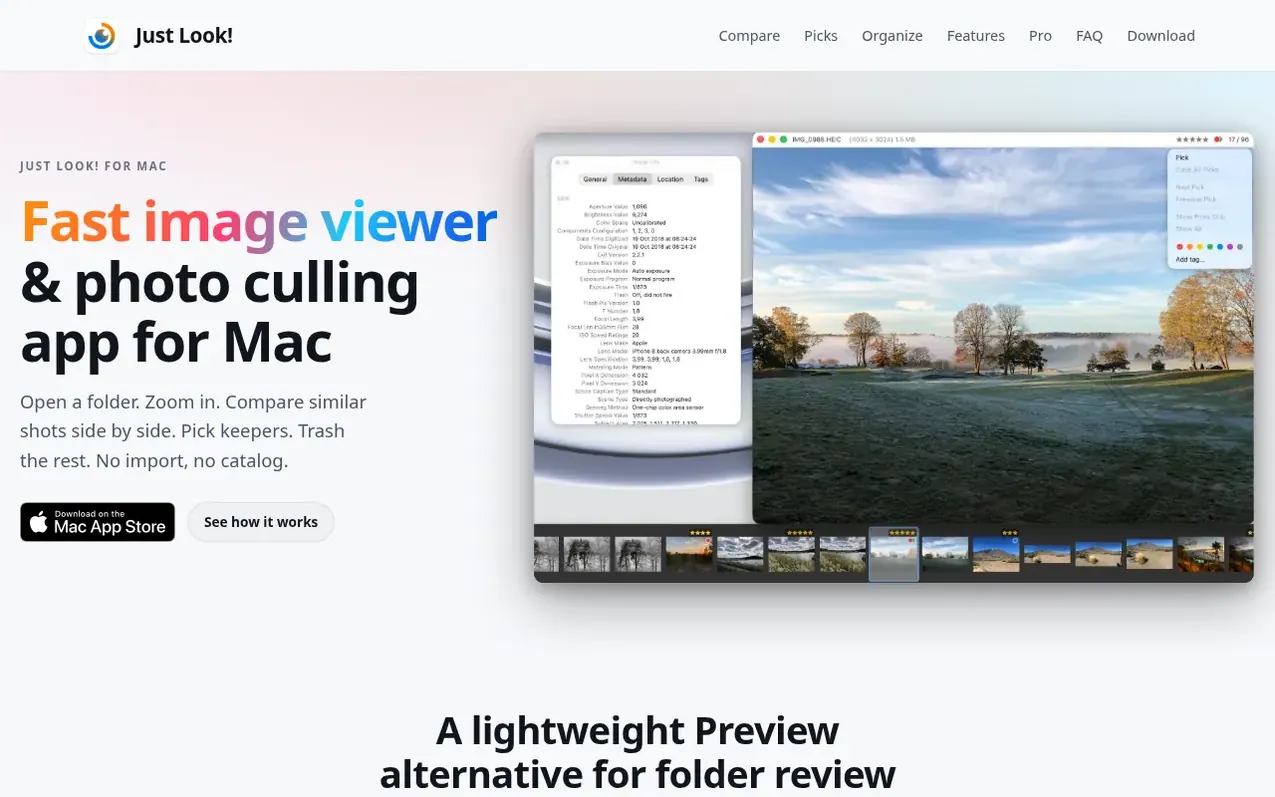
Just Look! is a lightweight image viewer for Mac designed for focused folder review without building a library. Open folders directly with no import step, navigate with arrow keys and keyboard shortcuts, and cull photos by rating, picking, and tagging. It supports RAW files from Canon, Sony, Nikon, Fujifilm, Olympus, Panasonic, Pentax, Leica, Hasselblad and more, plus modern formats like HEIC, JPEG XL, AVIF, WebP, TIFF, PNG and JPEG.
Compare similar shots side by side using Compare Grid (2 to 6 images at once), overlay compare with Option key shortcuts, or lock your zoom while browsing. Mark images with star ratings, Finder color tags, picks and reject flags that write directly to files. The free version includes keyboard browsing, Compare Grid, overlay compare, picks, reject flags and star ratings.
Just Look! Pro adds batch cleanup, XMP writing, tag editing, crop and straighten, rename, advanced sorting, undo/redo, and export presets. Pro comes with a 30-day free trial, then costs $1.99 monthly, $9.99 yearly, or $19.99 for lifetime access. Requires macOS 12 Monterey or later and is available only from the Mac App Store.
What it does
- Compare Grid: view 2 to 6 photos side by side in one window
- Overlay compare with Option key to fine-align two shots
- Star ratings and Finder color tags written to files
- Crop and straighten images without leaving review
- Batch cleanup to delete images by rating or reject flag
- Metal-accelerated rendering for fast and smooth navigation
- Gallery view to scan hundreds of photos at a glance
Pricing
Pricing model: Freemium
Free download with core features. Just Look! Pro: $1.99/month, $9.99/year, or $19.99 lifetime (US prices). Pro includes 30-day free trial.
Shopper questions
Is Just Look! a Preview alternative?
Yes, for folder review. Preview opens one file at a time, while Just Look! opens the whole folder, moves between shots with arrow keys, keeps zoom locked while browsing, and lets you rate, pick, and trash as you go. It also serves as an alternative to Pixea or Xee with modern format support and side-by-side compare.
Does Just Look! open RAW, JPEG XL, and AVIF files?
Yes. Just Look! opens RAW files from Canon, Sony, Nikon, Fujifilm, Olympus, Panasonic, Pentax, Leica, Hasselblad and more, plus DNG, HEIC, JPEG XL, AVIF, WebP, TIFF, PNG, and JPEG. RAW and JPEG files with the same name appear as one image for unified rating, tagging, picking and trashing.
Do I have to import photos into a library first?
No. Just Look! opens folders directly with no import step and no catalog to build or maintain. Your files stay where they are on disk, and ratings and Finder color tags are written to the files themselves.
Can I review photos on a NAS or network drive?
Yes. Open a folder on a server or NAS the same way as a local one. Just Look! reads the next files ahead while you look at the current one, so photos are ready as you step through, and ratings, tags, and picks show soon after the folder opens.
Is Just Look! free?
Yes. Just Look! is a free download from the Mac App Store. Viewing, keyboard browsing, Compare Grid, overlay compare, Picks, reject flags, and star ratings are free. Just Look! Pro adds batch cleanup, XMP writing, tag editing, crop, undo, rename, sorting, and export presets. It comes with a 30-day free trial that starts the first time you open the app, then costs $1.99 a month, $9.99 a year, or $19.99 once for lifetime access (US prices).
Just Look! has a free listing. The owner can unlock the full profile with a paid launch for $5:
- Founder story (locked)
- Milestones (locked)
- Demo video (locked)
- Dofollow website link (locked)
Shoppers also viewed
- HennaTrace
Photography & video
- Photomyne
Photography & video
- PolaFilm
Photography & video
- Evoto
Photography & video