Home AI Design
Upload a room photo, choose an interior style, and see your space in a new light
AI tool that transforms room photos into interior design concepts using AI across various styles like Modern, Minimalist, Scandinavian, Japandi, and Industrial.
About this launch
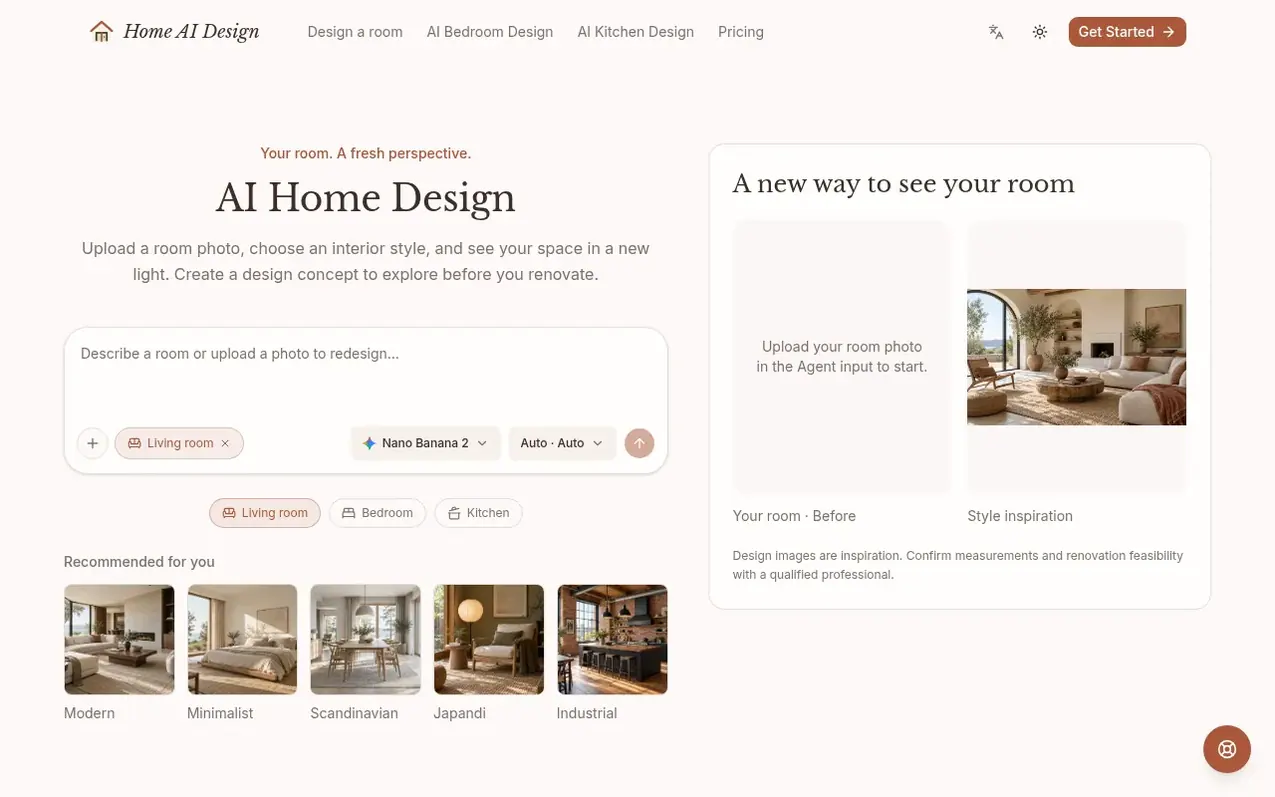
Home AI Design lets you upload a clear room photo and choose from five interior design styles—Modern, Minimalist, Scandinavian, Japandi, and Industrial—to generate visual design concepts. The tool creates AI-generated interior concepts from your room photos and style preferences, supporting early inspiration and exploration before detailed design begins.
The process is straightforward: start with a well-lit room photo, choose a style example or describe your preferred colors and materials, and generate a concept you can compare with your original photo. The tool works with living rooms, bedrooms, kitchens, dining rooms, home offices, and compact spaces.
Design concepts are intended as inspiration references to identify colors, materials, and atmosphere you like. The site emphasizes that AI-generated designs may alter room structure, doors, windows, furniture, or proportions, and recommends consulting qualified professionals for measurements, safety, materials, and renovation decisions.
What it does
- Upload room photos and generate design concepts
- Five interior design styles: Modern, Minimalist, Scandinavian, Japandi, Industrial
- Side-by-side photo comparison of original and redesigned room
- Daily credit system with 20 credits per UTC date
- Support for living rooms, bedrooms, kitchens, dining rooms, offices, and small spaces
- Download design concepts
Pricing
Pricing model: Free
Free workspace with daily credits; paid plans being prepared
Shopper questions
What is AI home design?
AI home design creates visual interior concepts from instructions, reference images, or room photos. It supports early inspiration and comparison before detailed design begins.
How do I create a design from my room photo?
Upload a clear room image in the Agent input, choose a style example or describe the changes you want, and sign in to generate a concept. Open an edited result to compare it with the source photo.
Which interior design styles can I explore?
You can choose from Modern, Minimalist, Scandinavian, Japandi, or Industrial. Use optional instructions to describe a color, material, or feature you want to keep, though exact results are not guaranteed.
Will the AI preserve my room's structure exactly?
The design uses your photo as a visual guide, but it may change the room's structure, doors, windows, furniture, or proportions. It cannot verify dimensions, materials, costs, safety, or construction feasibility, so have a qualified professional review any renovation decision.
How should I use an AI home design concept?
Use it as an inspiration reference to identify the colors, materials, furniture character, and atmosphere you like, then validate decisions with measurements and qualified professionals.
Home AI Design has a free listing. The owner can unlock the full profile with a paid launch for $5:
- Founder story (locked)
- Milestones (locked)
- Demo video (locked)
- Dofollow website link (locked)
Shoppers also viewed
- Snoopy Wallpaper
Design & Creative
- Get Face Report
Design & Creative
- Feng Shui Bedroom
Design & Creative
- BrandHop
Design & Creative