EverStamp
Timestamp camera for photos and videos you can verify
A mobile app that adds date, time, and location to photos and videos, then applies a qualified timestamp from an independent service so recipients can verify
About this launch
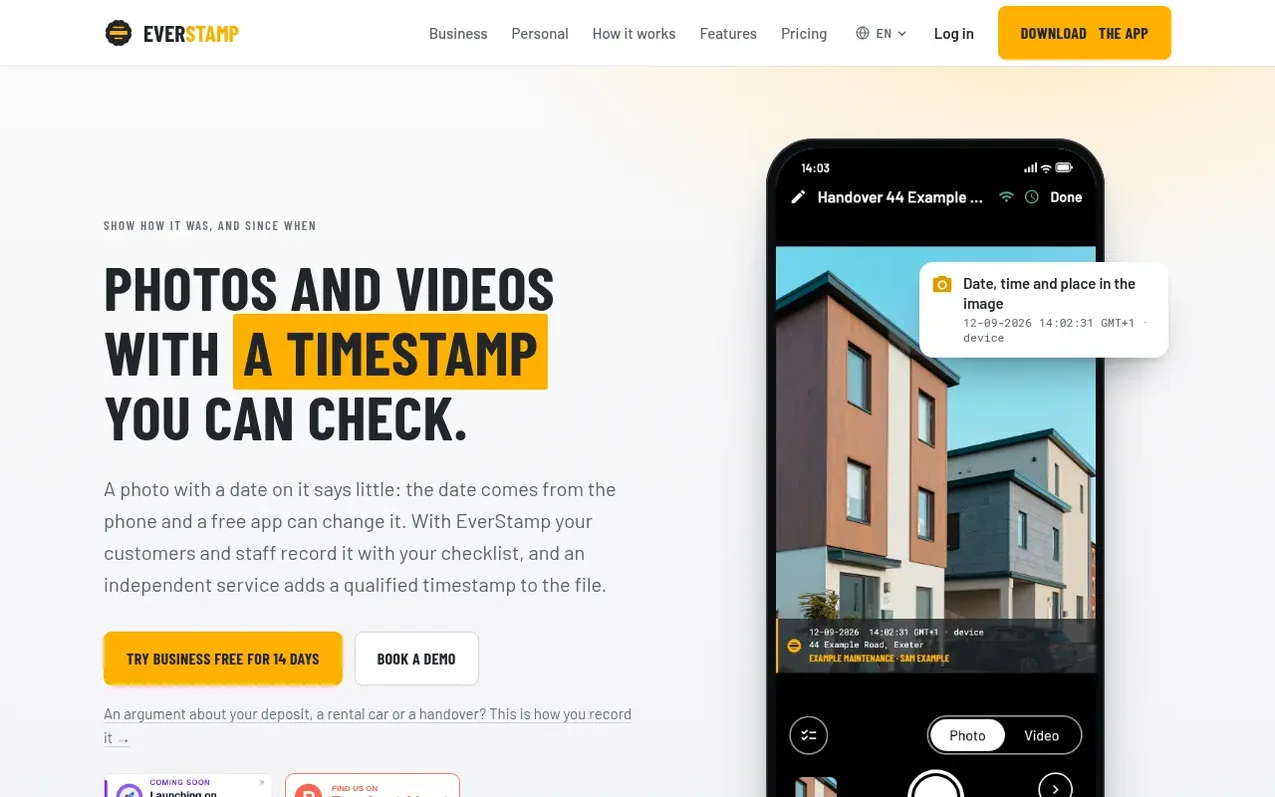
EverStamp is a timestamp camera app for iOS and Android that solves disputes over when photos and videos were taken. Users capture images with a checklist during moments like property handovers, vehicle returns, or damage claims. The app embeds the date, time, and location directly into each photo and video. When the file is closed, an independent qualified trust service applies a timestamp to the entire file. Recipients can verify the file's authenticity in a web browser without needing an account, checking that the captures existed at that moment and have not been modified since.
The app supports checklists with custom fields like licence plate numbers or meter readings, works offline, and creates PDF reports and full-resolution archives. Files can be shared via encrypted links or as evidence extracts. EverStamp operates on multiple pricing tiers: Basis (free first file, then pay per file), Plus (subscription with monthly files), Business (for teams with dashboards and APIs), and Enterprise (at scale with custom agreements).
What it does
- Date, time, and location embedded in each photo and video
- Qualified timestamp from independent trust service
- Custom checklists with fields and minimum photo requirements
- Works without internet connection
- Browser-based verification without account
- PDF reports and full-resolution archives
- Encrypted share links with optional password protection
- Text recognition for licence plates and meter readings
- Customer signature capture in the file
- Dashboard, webhooks, and API for business integration
Pricing
Pricing model: Freemium
Basis: €0 subscription, one free file, then €7.99 per file or €19.99 for three files. Plus: €12.99/month or €129.99/year (10 files monthly). Plus Video: €19.99/month or €199.99/year (60 minutes and 25 videos monthly). Business: from €49/month excluding VAT (billed yearly from €499.80, 15% discount).
Shopper questions
What does the stamp bar on the photo show?
The date, time to the second, address, and company name are drawn directly into the image. The time on the bar comes from the phone's clock and is marked as a stated value in the file. The timestamp that counts comes from the independent service and travels with the file.
Can I change the date or time on a capture myself?
You can adjust the time on the bar since it comes from your phone's clock, but the timestamp itself cannot be changed. The timestamping service applies it using its own audited clock, and the protocol has no mechanism to request a different time. This means a file created today cannot carry yesterday's timestamp.
Do I need an account to use EverStamp?
No account is required to start capturing with the app. If you work for a company on Business, you link your phone with a linking code provided by the company, still without an account. Only people who use the dashboard need to sign in. Recipients of your files never need an account.
How long does a share link work?
On Basis the link works up to 30 days. On Plus it works up to 90 days with optional password protection. On Business and Enterprise, share links work up to 365 days. You can revoke a link before it expires.
Can I add a photo from my camera roll to a file?
No. The app only records using its own camera, so every photo in a file is part of the signed series and timestamp proof. The photo library is used only to select your company logo in Settings.
EverStamp has a free listing. The owner can unlock the full profile with a paid launch for $5:
- Founder story (locked)
- Milestones (locked)
- Demo video (locked)
- Dofollow website link (locked)
Shoppers also viewed
- HennaTrace
Photography & video
- Photomyne
Photography & video
- PolaFilm
Photography & video
- Evoto
Photography & video