
DuoTyping
Your AI writing companion that works in the apps you already use
An AI writing assistant that integrates into your existing apps to check grammar, rewrite sentences, translate text and answer questions without interrupting
About this launch
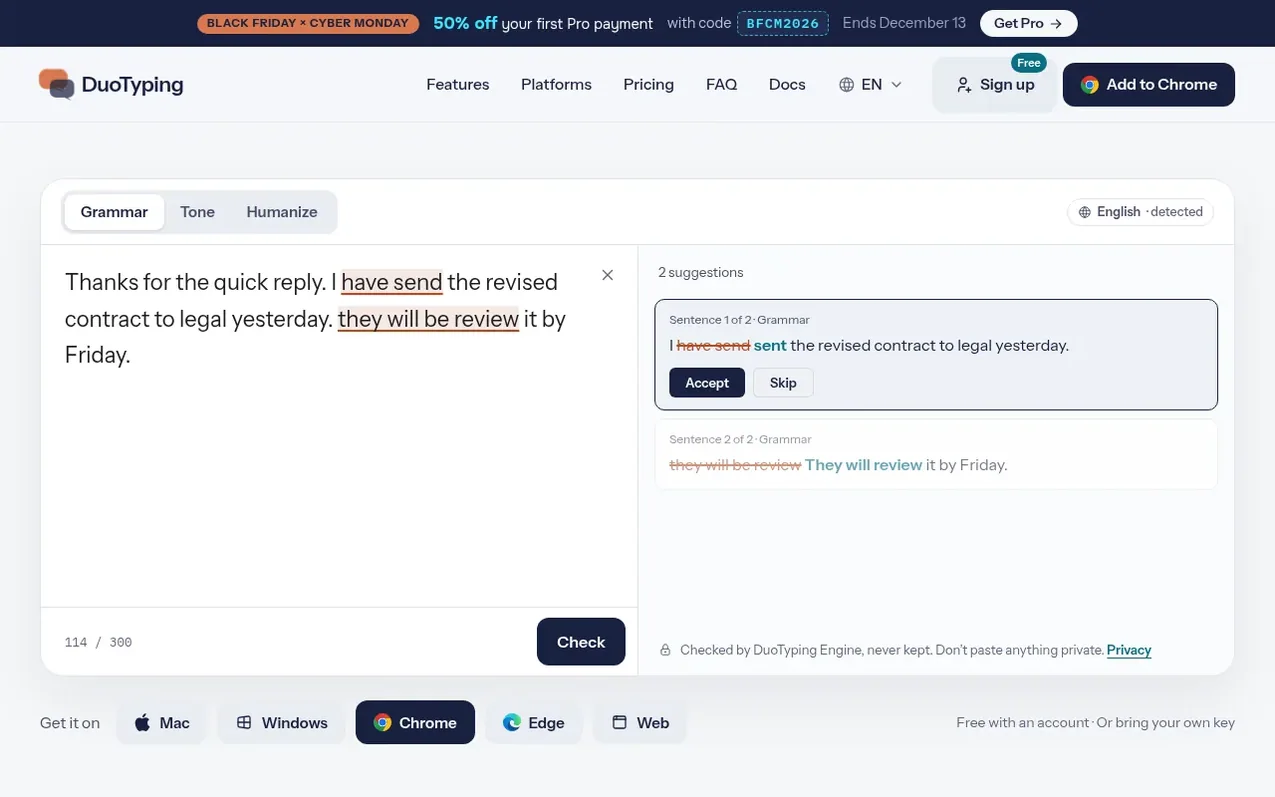
DuoTyping is an AI writing companion available on Mac, Windows, Chrome, Edge and the web. It helps users improve their writing by checking grammar and tone, rewriting sentences, translating between languages, and answering questions about text, all without breaking their workflow.
The tool integrates directly into the applications users already use, with mistakes underlined as they happen. Users can select text and choose from suggested improvements or ask the AI to perform custom tasks. DuoTyping supports multiple languages and allows users to bring their own AI service from OpenAI, Anthropic or any OpenAI-compatible endpoint.
The service offers a free plan with daily limits on rewrites, translations and AI asks, plus a Pro plan for heavier usage. All suggestions require explicit acceptance before changes are made, keeping user control over their writing.
What it does
- Grammar and tone checking
- Real-time underlines for mistakes
- Sentence rewriting with multiple tones
- Translation between languages
- AI-powered asks and custom tasks
- Word and phrase meanings with examples
- Up to 10 writing profiles with different tones
- Personal dictionary for custom words
- Support for user's own AI service keys
Pricing
Pricing model: Freemium
Free plan: unlimited checks and underlines, 10 rewrites, 50 translations, 50 meanings, 10 asks per day. Pro plan: US$9.90 per month or US$89.90 per year (plus tax), includes 300 rewrites, 1,000 translations, 1,000 meanings, 200 asks per day, 5 GB storage, and 3-day money-back guarantee. Promo codes
Shopper questions
What does DuoTyping cost?
DuoTyping is free with an account and offers unlimited grammar checks daily. The Pro plan costs US$9.90 per month or US$89.90 per year (plus applicable tax) and includes higher daily limits for rewrites, translations, meanings and asks, plus 5 GB of storage and a 3-day money-back guarantee. If you bring your own AI service key on Mac or Windows, DuoTyping charges no fee and your AI provider bills you directly.
Which apps does DuoTyping work in?
On Mac and Windows, DuoTyping works in any app where you can select text. On Chrome and Edge, it works on any secure website via right-click menu. It also includes a web and phone app called Write for drafting. The underline feature skips password managers, code editors, terminals and banking sites for security.
What languages does DuoTyping support?
DuoTyping supports any language you write in. It checks grammar and tone and provides suggestions in your writing language. The translation feature can translate between any languages you need. The app menus are displayed in English.
Do I need an account to use DuoTyping?
Yes, you need a free account to use DuoTyping Engine, translations, and to report issues. You can try the tool on the homepage first without signing up. The account also lets you use your own AI service key on Mac and Windows.
What data does DuoTyping keep about my writing?
With DuoTyping Engine, the service keeps what you check and translate in encrypted form to improve the service. With your own AI key, only translations are kept. You can delete your account anytime from the web app, which removes your account after 90 days; previously kept data is no longer linked to you. The Mac and Windows apps also send anonymous usage counts about where underlines work, never your actual text.
DuoTyping has a free listing. The owner can unlock the full profile with a paid launch for $5:
- Founder story (locked)
- Milestones (locked)
- Demo video (locked)
- Dofollow website link: not on this free listing (its website link is nofollow)
Shoppers also viewed
- Draft2Publish-AI
AI writing
- Ultimate Books Generator
AI writing
- BuffNerf AI
AI writing
- The Non-Tech AI
AI writing