
CSS Button Generator
Design CSS buttons visually with 127 ready-made templates, customize colors, size, radius and text with live preview, then copy HTML and CSS or download as PNG
Free web tool for creating and customizing CSS buttons with 127 presets, live preview, and code export options.
About this launch
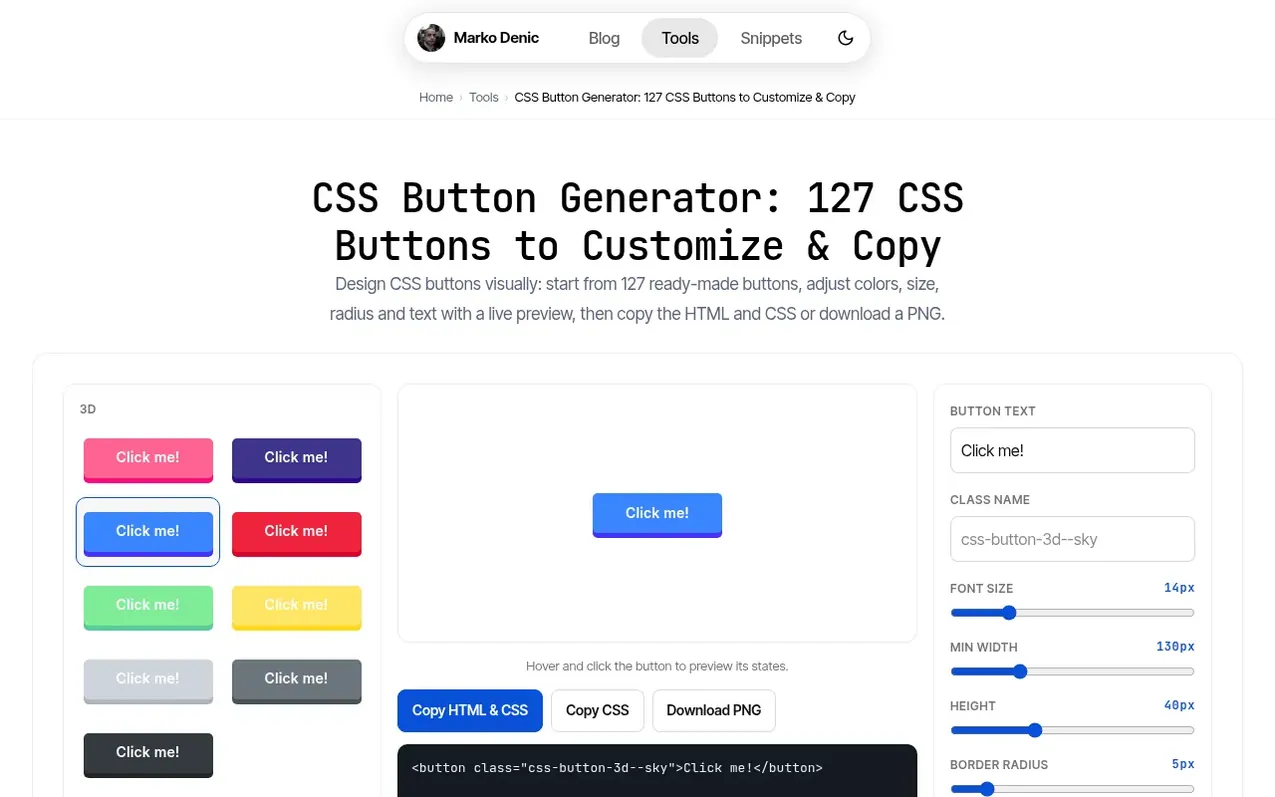
CSS Button Generator is a free online tool for designing CSS buttons visually. Start from one of 127 ready-made designs including 3D, gradient, neumorphic, retro, and sliding effects with hover animations. Customize text, colors, size, border radius and font weight while a live preview shows the result including hover and click states. Every button is plain HTML and CSS with no JavaScript required, so you can use it on any website in one click. Copy the generated code or download buttons as transparent PNG images.
What it does
- 127 ready-made button designs including 3D, gradient, neumorphic, retro and sliding effects
- Live preview with hover and click states
- Copy HTML and CSS code in one click
- Pure CSS with no JavaScript required
- Works with Bootstrap and Tailwind CSS
- Smooth hover animations with transition effects
- Works across all modern browsers
- No sign-up or account required
Pricing
Pricing model: Free
Shopper questions
How do I create a button?
Pick a preset from the 127 available designs, then adjust the text, colors, size, border radius and font weight in the panel on the right. The live preview updates as you go, so you can hover and click the button to check its states. When it looks right, click Copy HTML & CSS.
Is JavaScript or jQuery required for these buttons to work?
No. The generated code is CSS-only.
Do the buttons work in all browsers?
Yes. The generated CSS uses well-supported properties that work across all modern browsers, including Chrome, Firefox, Safari, and Edge.
Is this tool free to use?
Yes. The Button Generator is free, and always will be.
I want to improve my programming skills. Where do I start?
If you are new to coding, I’d suggest you start with freeCodeCamp . If you want to explore other options, check these articles: 1. List of Free Learning Resources 2. Interactive learning tools
CSS Button Generator has a free listing. The owner can unlock the full profile with a paid launch for $5:
- Founder story (locked)
- Milestones (locked)
- Demo video (locked)
- Dofollow website link (locked)