
BlockPoster.ai
Free block poster maker for turning photos or AI art into wall-sized prints
BlockPoster.ai turns a single image into a large picture assembled from ordinary printed sheets. Upload photos or create with AI, crop, split and download a
About this launch
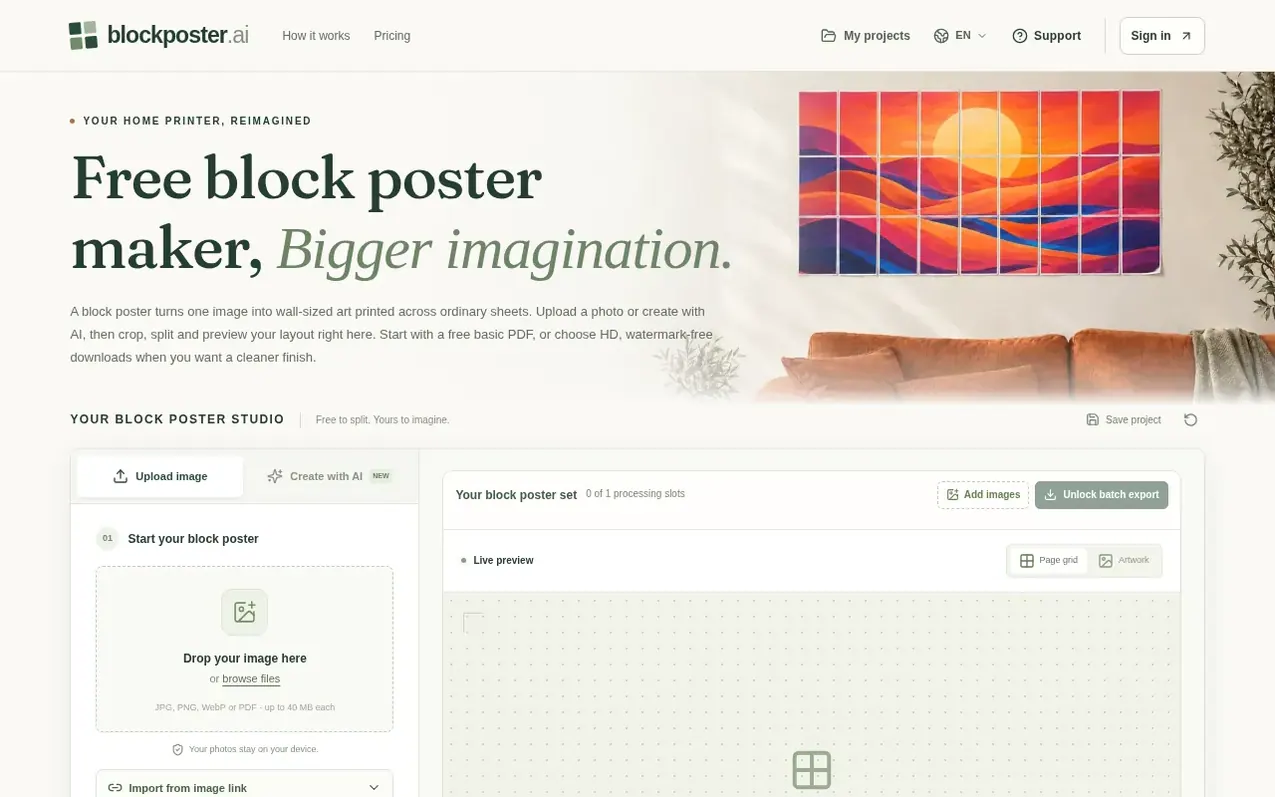
BlockPoster.ai is an online block poster maker that transforms a photo or AI artwork into a large picture assembled from ordinary printed sheets. The workspace combines image selection, print settings, layout preview and PDF download in one interface.
Users upload a JPG, PNG, WebP or PDF, choose from five paper sizes (A4, US Letter, A3, Legal, or Tabloid), and set the dimensions. The tool splits the image across multiple pages, showing the layout before download. Free exports include a watermark and are capped at 150 DPI with support for up to 5 sheets across. Paid subscribers unlock HD PDFs up to 300 DPI, no watermark, and up to 10 sheets across.
The platform includes built-in AI generation for creating original artwork directly in the workspace, separate from layout features. Uploaded photos are processed locally in the browser for privacy, though AI generation uses online services.
What it does
- Upload photos or generate AI artwork
- Choose from five paper sizes
- Crop and adjust margins and overlap
- Preview layout before downloading
- Free and paid export options
- Batch processing of multiple images
- Save and reuse print presets
Pricing
Pricing model: Freemium
Free: basic PDF export up to 150 DPI with watermark. Starter $4.99/month with 20 AI credits, unlimited HD PDFs. Creator $19.99/month with 200 AI credits, unlimited HD PDFs. Studio $39.99/month with 1,000 AI credits, unlimited HD PDFs. One-time options: $4.99 with 1 source-image unlock and 2 AI credi
Shopper questions
What is a block poster?
A block poster is one enlarged image split across multiple printable sheets, then assembled into a single large picture. BlockPoster.ai creates a tiled PDF from your photo or AI artwork, where you choose the paper and finished dimensions and the workspace calculates the pages and shows the layout before printing.
Can I make a block poster for free?
Yes. Upload, crop, split and preview without paying, then download a free single-image PDF without signing in. Free exports are capped at 150 DPI and carry a small brand watermark. Free block poster PDFs support up to 5 sheets across, while paid HD PDFs support up to 10.
Does a block poster use AI credits when I split it?
No. Splitting, resizing, cropping and PDF export use 0 AI credits. Only a successful Create with AI image uses 2 credits. Subscribers receive a monthly allowance, even with annual billing. Purchased credits do not expire, and failed provider attempts release reserved credits.
Will my block poster photos be uploaded?
Ordinary JPG, PNG, WebP uploads and PDF pages are processed locally in your browser. Export your local project before clearing browser data or moving devices. Create with AI is different: prompts and reference images you explicitly select are sent online for generation and safety checks; generated outputs are also checked before account storage. Avoid sensitive personal information.
Which printer can print a block poster?
A printer that accepts your selected paper size can print the tiled PDF. Pick A4, US Letter, A3, Legal or Tabloid and allow for your printer's unprintable edges. Choose Actual size or 100%, not Fit to page, and print one page per sheet. Test one sheet first. The PDF is already tiled, so a second Poster or tiling pass is unnecessary.
BlockPoster.ai has a free listing. The owner can unlock the full profile with a paid launch for $5:
- Founder story (locked)
- Milestones (locked)
- Demo video (locked)
- Dofollow website link (locked)
Shoppers also viewed
- Nuxt Dashboard
Design tools
- MyPaperKit
Design tools
- AI Kitchen Design
Design tools
- ideare
Design tools



