
BetterMuse
Piano practice app with MIDI feedback for iPhone and iPad
An iOS app for piano practice that provides MIDI feedback on your playing, lets you loop difficult passages, and includes drills for scales and ear training.
About this launch
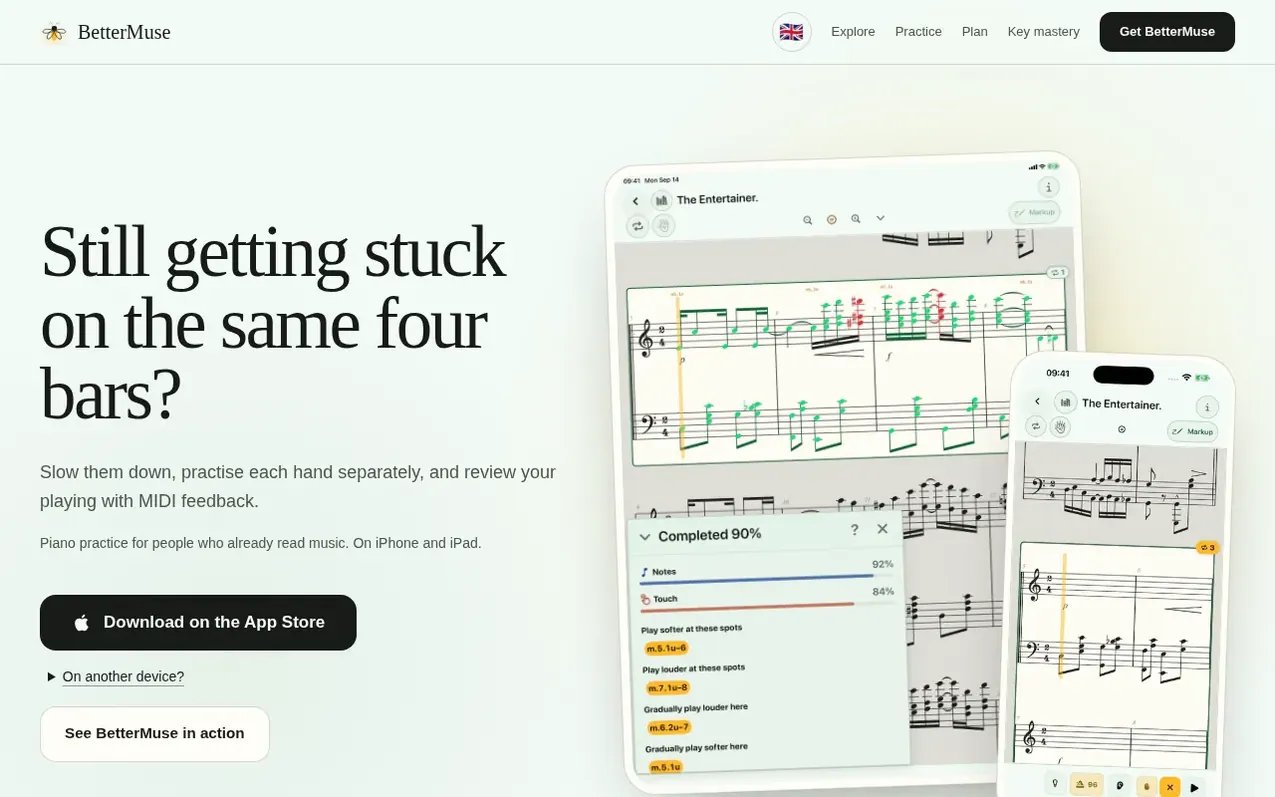
BetterMuse is a piano practice app for iPhone and iPad designed for people who already read music. It lets you practise difficult passages by slowing them down, separating the hands, and looping selected measures. When you connect a MIDI piano, the app provides note-level feedback by comparing your playing to the score, showing you which notes and rhythms you missed.
You can import your own sheet music in MusicXML, MXL, MIDI, or PDF formats, or choose from a curated library of piano scores. The app includes a practice planner to schedule pieces and drills throughout your week, and drills for building scales, chords, patterns, and ear training in all 12 keys using the Circle of Fifths.
BetterMuse tracks your progress across different measures and practice sessions. You can annotate PDF scores with ink, preview and listen to scores before adding them, and your practice history and drills sync through iCloud.
What it does
- Loop selected measures for focused practice
- Practice hands separately at a chosen tempo
- Review matched and missed notes with MIDI on compatible scores
- Build scale, chord, pattern, and ear fluency in every key center
- Plan practice days for pieces and drills
- Track problematic bars and per-measure progress
- Browse a curated piano score catalogue
- Import your own MusicXML, MXL, MIDI, and PDF scores
- Annotate PDF scores with ink
- Sync practice history and goals through iCloud
Pricing
Pricing model: Freemium
Shopper questions
What do I need to use BetterMuse?
You need a compatible iPhone or iPad. A USB or Bluetooth MIDI keyboard supports scored practice with note-level feedback, and the built-in touch piano also supports grading. You can also practise along on an acoustic piano; loops, annotation, planning, and other practice tools work without MIDI or touch input, but scored-practice features are not available.
Can I practice my own music?
Yes. You can import MusicXML, MXL, MIDI, and PDF documents. Pick the bars or PDF chunks you want to work on, listen first, mark them up, and come back later with progress still attached.
Is BetterMuse available on iPhone or Android?
BetterMuse supports iPhone and iPad. Android is not currently supported.
How does score practice work?
Import a MusicXML or MXL score, choose a measure range, and play against the notation. BetterMuse listens through MIDI and colors the notes, timing, and touch feedback directly on the score.
What syncs through iCloud?
Note naming, practice history, goals, saved drills, and score-library metadata can sync through your private iCloud database. Imported source files and freehand ink stay on each device.
BetterMuse has a free listing. The owner can unlock the full profile with a paid launch for $5:
- Founder story (locked)
- Milestones (locked)
- Demo video (locked)
- Dofollow website link (locked)